Gmail Safety Tricks & Tips
This is neither the first nor the last article on how to keep the Gmail account safe. Gmail is almost synonymous with the email service which has over 900 million active users (as of May 2015), and it is the first app in Google Play store to have reached a billion installations. For a service with such a massive user base, I hope it is right that I join the bandwagon to create more awareness on Gmail safety tricks and tips.
Gone are those days when people visit Net Cafes/browsing centres to check mail. PCs/Laptops and smartphones have made email access so simpler. However, there are still situations when one has to access his/her personal email from a net café or a device that could be accessed by someone else later. Especially at times like these, a little bit of care will help prevent exposing the personal email account to someone else.
When you log in to your Gmail from a computer in Net cafe or a Hotel / Airport lobby, you leave a trail of what is in your mailbox. A simple view of browser history shows the subject of mail and gives away pretty much of what the content is all about.
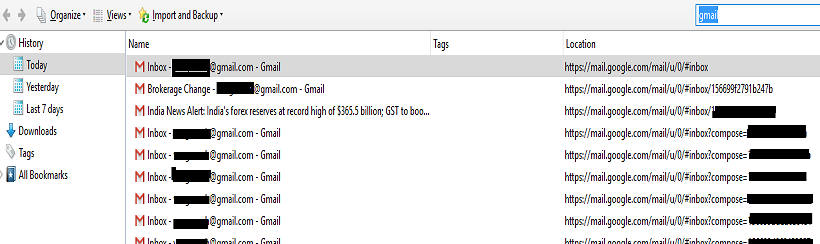
Also at times, if you click on a link from an email, the link opens up in the same browser window instead of a new tab or window. You (in fact many users) might get carried away and keep moving to further websites without realizing the fact that they were logged into their email account in the browser. When a new user opens Gmail in the same computer, they end up accessing the emails of yours
How can you be safe?
Login using a “private window” (Incognito in Chrome)
By doing so, you do not have to worry about leaving the trail as shown above as well as once the incognito/private window is closed, the logins that were active cease.
2. Google provides an option to sign out from all other web logins
If you are in doubt whether or not you signed out from a public computer you used last, do log in to your/available computer, log in to your mail. Scroll down and at the right-hand bottom you will see “Last account activity.” Click on “Details.”
Gmail..
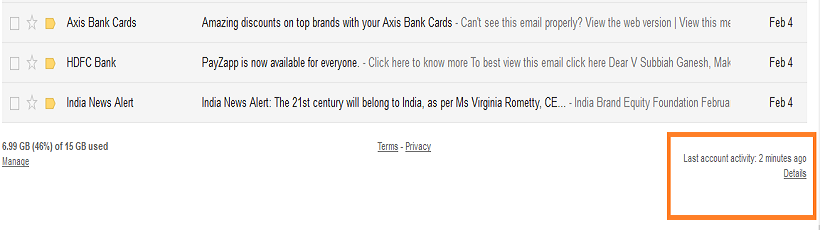
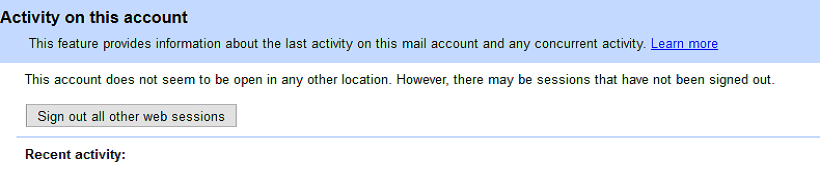
You will see an option to sign out from all other web sessions, and any active logins elsewhere will automatically be logged out. Change your password and remember it. (8 out of 10 users who do such hasty password change, fail to remember the new password, and I belong to the majority)
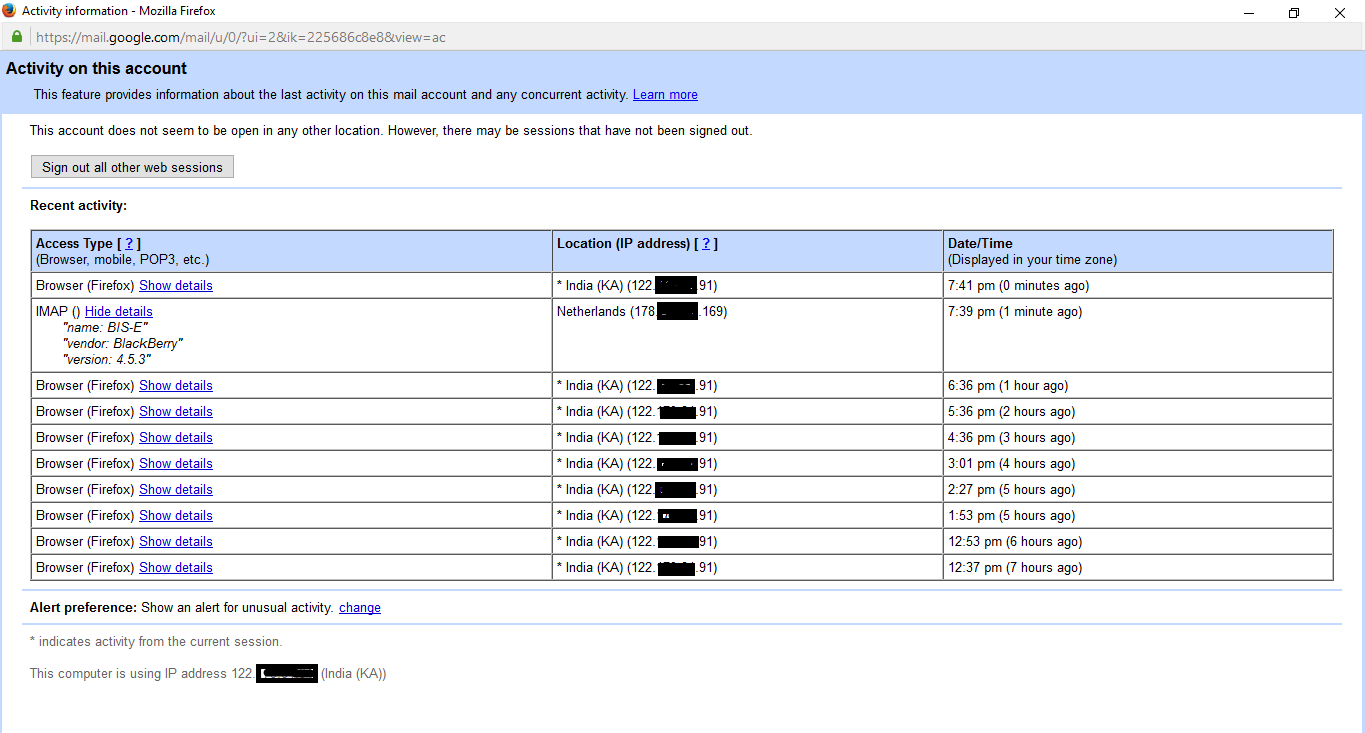
You doubt if your Gmail account is being accessed by someone using your password, review the activity in the table below in the same page. You will find the IP addresses including your web/mobile/POP access. If you find anything strange, immediately change your password.
Last but not the least, use a password that is not easy to be hacked. Thousands of pages are already available on the internet advising how to choose a safe password. But a few thoughts:
- Never share passwords with anyone (but I don’t assume any responsibility for consequences when you say NO when your spouse asks for your password )
- Have at least two email accounts and use it for different purposes (social networking/banking etc.). Keep the email account that is exclusively used for banking purposes as clean and private as possible
- As a safe practice, change your password at regular intervals
- There is NO concept of universal password. If you have more than one account, for heavens’ sake, set different passwords. Do not make it easy for the hacker
Safe Gmailing!!
